HomeOfficeRoku Streaming Stick 4K (Model 3820)
Roku Streaming Stick 4K (Model 3820) Review
Owner review analysis: Based on 169 owner reviews from Best Buy, Roku Streaming Stick 4K 3820R2 listings (169 owner reviews) and CPSC recalls: no recall found for this model
Pros
- Easy setup is the thing owners praise most
- Simple interface; a couple of owners say it suits older relatives
- Popular for adding streaming to a second or older TV
- Very few owners report anything failing
Cons
- A few owners report freezes or weekly resets
- Voice control didn't work for one owner
- Remote doesn't control power on every TV
What goes wrong, and how often?
4% of the 169 owners in our sample reported a problem. The most common: signal drops with some tvs (1% of owners, usually within the first month).
| Problem | Type | When | Owners |
|---|---|---|---|
| Signal drops with some TVs | Doesn't do its job | within the first month | 1% |
| Needs a reset about once a week, then re-login to apps | Doesn't do its job | 1% | |
| Voice commands don't work | Doesn't do its job | 1% | |
| Apps freeze several times a week | Doesn't do its job | within the first month | 1% |
| Remote can't turn the TV on or off | Hard to use or poor design | 1% | |
| Remote goes through batteries | Hard to clean or maintain | 1% |
Where the points went
- Doesn't do its job−1.3
- Hard to use or poor design−0.1
- Hard to clean or maintain−0.1
Score = 100 minus these deductions. How the Dura Score works.
Most common owner complaints
| Issue | Owners reporting it |
|---|---|
| Freezes or needs regular resets | 1.2% |
| Voice commands don't work | 0.6% |
| Signal drops with some TVs | 0.6% |
| Remote quirks (TV power, batteries) | 1.2% |
Red flags before you buy
- It needs a power source: owners note it plugs into a USB port or the wall, not just the HDMI port.
- Check that your TV supports remote power control (HDMI-CEC) if you want one remote for everything.
- Most reviews we read were written in the first month or two of ownership, so long-term reliability is less well covered.
Ownership Scorecard
| Lifespan | Most reviewers wrote within the first month or two, but several reported a year to more than two years of use without problems. |
|---|---|
| Price (New / Used) | $29.99–$79.99 / – |
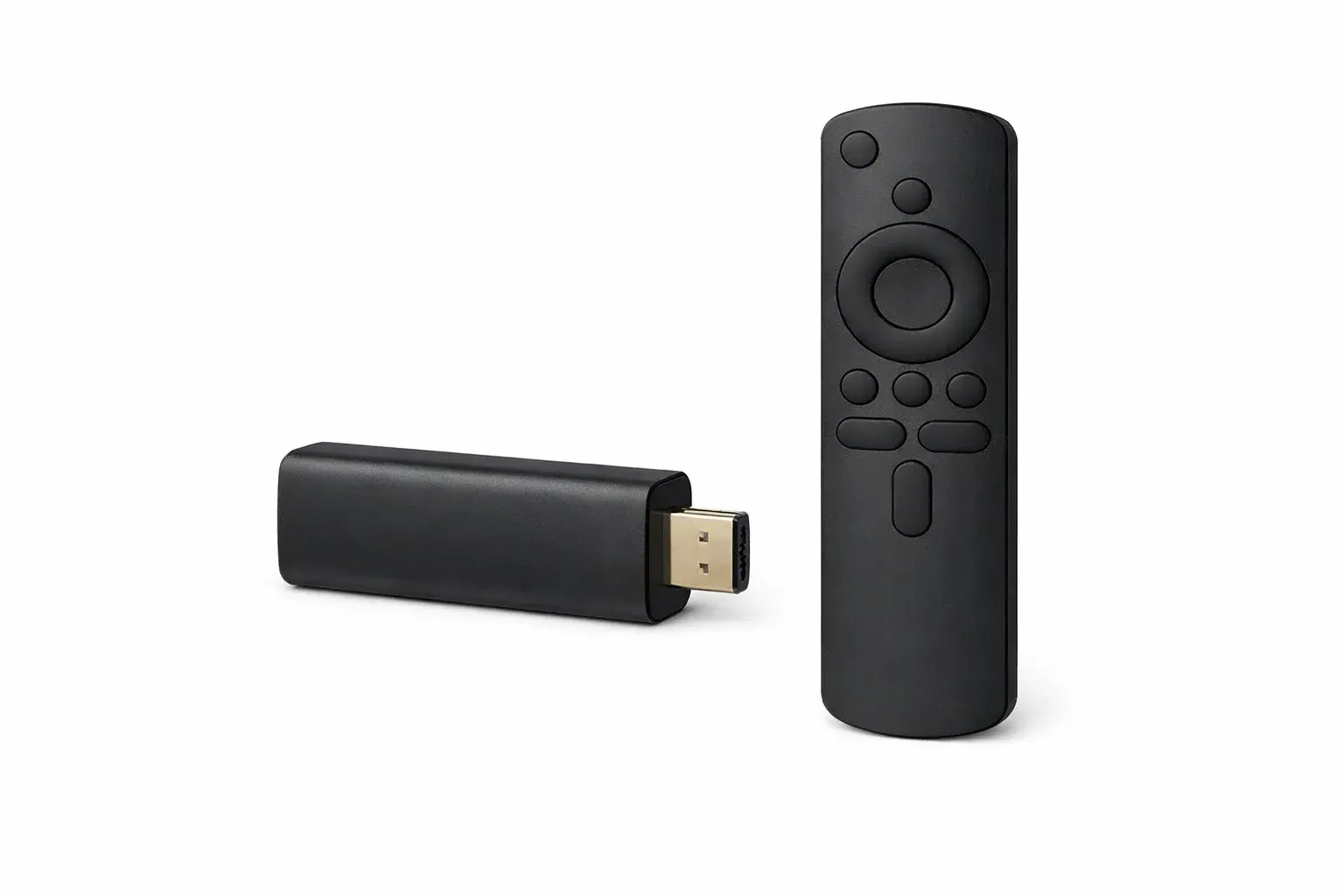
This page covers the Roku Streaming Stick 4K, model 3820 (sold as 3820R and 3820R2), the version with the long-range Wi-Fi receiver built into the power cable. It does not cover the Streaming Stick 4K+ bundle or newer Roku sticks.
What do owners like most?
Easy setup and a simple interface. Quick setup is the praise owners mention most, followed by ease of use, picture quality, the range of free channels and help cutting cable. Several use it to add streaming to a second or older TV, and a few bought it to replace an older streaming device.
What goes wrong, and how soon?
Very little, according to owners. Only 6 of 169 owners (3.6%) mentioned any problem with their stick, and none said it died:
- Freezes and resets (2 owners): one has to reset it about once a week and sign back into apps; another sees one streaming app freeze several times a week.
- Voice control (1 owner): voice commands never worked for them.
- TV compatibility (1 owner): the signal kept dropping on one TV brand, which they worked around with the Roku phone app.
- Remote (2 owners): the remote couldn’t turn the TV on or off for one owner, and another says it goes through batteries.
Several owners mention that an earlier Roku stick had failed or was damaged in a storm, which is why they were buying a new one. Most reviews were written within the first month or two of ownership, so problems that appear after a year or more are not well covered by this sample.
Is it worth buying?
Yes, for most people who want a simple, cheap 4K streamer. It suits households that want one easy remote and a stick hidden behind the TV. Skip it if you rely on voice control from a different assistant or want a box with more storage and a faster processor; higher-end streamers cover that at a higher price.
Common questions
Does the Roku Streaming Stick 4K stop working?
Owners rarely report it. In 169 owner reviews, none described the stick dying; the complaints were freezes, a weekly reset, voice control and signal drops with one TV.
Do I need to plug the Roku Streaming Stick 4K into power?
Yes. It powers through a USB cable, and at least one owner was surprised it needed plugging in.
Can the Roku remote turn my TV on and off?
On many TVs, yes, but one owner found the remote could not control their TV's power. That depends on whether your TV supports remote power control over HDMI.
Is the Roku Streaming Stick 4K good for an older TV?
Several owners use it to add streaming to a second or older TV that has an HDMI port, and report no problems doing so.
How we researched this
We read and analyzed 169 owner reviews of the Roku Streaming Stick 4K (Model 3820) from Best Buy, Roku Streaming Stick 4K 3820R2 listings (169 owner reviews) and CPSC recalls: no recall found for this model, collected November 23, 2026. The Dura Score is calculated from the problems owners reported, using the same formula for every product. Percentages and the scorecard summarize what owners said. We did not test this product ourselves. Owner comments are summarized in our own words, not copied. More about our method.
Where can you buy the Roku Streaming Stick 4K (Model 3820), and for how much?
Check today's price: one click searches right now, with the exact model filled in.
The lowest price we found was $29.99 at Target on November 24, 2026. Prices and deals change often, so check the store before you buy.
Prices we checked
| Store | Price | Deal or note | Link |
|---|---|---|---|
| Target | $29.99 | Sale, regular $49.99 | View at Target |
| Best Buy | $49.99 | Black Friday deal, regular $79.99 | View at Best Buy |
| Walmart | $79.00 | Low stock | View at Walmart |
| Staples | $79.99 | View at Staples |
Prices checked November 24, 2026, including sales and coupons shown on the store's own page. The AI and Google links open those services, under their own privacy policies.